

Photocopier leasing across Yorkshire, compared, for a whole lot less.
A3 multifunction copiers from vetted UK suppliers covering the whole county: one quick form, up to 4 written quotes, servicing and toner in the price, and savings of up to 60% against going direct.
- Nothing to pay upfront
- 36 to 60 month terms
- Toner in the agreement
- A3, finishing and fleets
Compare 4 free quotes
Takes 30 seconds. No obligation, no pushy sales.
Shared only with up to 4 vetted UK suppliers. No advertisers, list brokers, or marketing spam.
Shared only with up to 4 vetted UK suppliers. No advertisers, list brokers, or marketing spam.
One machine, all jobs
A3 print, copy, scan and finishing from a single floor-standing multifunction device.
Toner in the click
Consumables live inside the per-page rate. No retail cartridges, no surprises.
Response, committed
Four to eight working hour engineer windows written into the service agreement.
Sized to the team
Speed class and paper capacity matched to your real peak month, not a brochure.
Printer brands our UK supplier panel quotes
Manufacturer brands quoted by our supplier panel. Manufacturers are not our suppliers; your quotes come from vetted UK dealers and resellers.
What photocopier leasing buys you in 2026
The word photocopier has outlived the machine. What suppliers lease today is the multifunction device: a floor-standing A3 unit that copies at the glass, prints from the network, scans in both directions and staples or folds where the agreement specifies. A photocopier lease, in practice, means an agreement weighted for that larger hardware class and heavier duplication volumes, and it remains the backbone machine for offices, schools and practices across Yorkshire.
The agreement structure mirrors printer leasing: fixed monthly cost for the device and its service plan, an agreed cost per page, toner and engineer cover inside the price, terms of 36 to 60 months with nothing upfront. Copier-class agreements differ in emphasis rather than kind, with bigger included volume bands, finishing options like stapling and booklet making, and paper capacities measured in thousands of sheets. From about £65 monthly for A3 colour, the machine that does everything replaces the three machines that each did one thing.
If your volumes are A4-led and lighter, a straight printer lease may price better; describe the work on the form and let both structures quote. For genuinely temporary needs, copier rental covers events and projects without a term commitment.
The four numbers that decide a copier quote
Copier quotes look complicated and are not. Four numbers decide everything. The monthly device cost reflects hardware class and term. The included volume band says how many pages you can print before excess rates apply, and oversizing it wastes money every month while undersizing it invites penalty rates. The cost per page, quoted separately for mono and colour, is where suppliers hide margin, colour especially: identical machines are regularly quoted with colour rates a third apart. And the response commitment tells you what a breakdown really costs, because a copier that stops stops the office.
Comparing four written quotes puts those numbers side by side, which is precisely why suppliers quote sharper when they know a comparison is happening. Yorkshire offices coming off an unexamined renewal typically land 30% to 60% lower after one comparison, on newer hardware. The cost calculator benchmarks your volumes in thirty seconds before anyone quotes.
Speeds, volumes and finishing: speccing the right copier
Copier classes are named by pages per minute, and matching the class to your real peak month is where the money is. The bands below are the honest guide for Yorkshire offices; volumes are combined print and copy.
| Class | Monthly volume | Suits | Lease from |
|---|---|---|---|
| 20 to 25 ppm | Up to 3,000 pages | Small practices, studios | £45/mo |
| 25 to 35 ppm | 3,000 to 8,000 | Typical offices, schools | £65/mo |
| 35 to 45 ppm | 8,000 to 15,000 | Busy departments, colleges | £85/mo |
| 45 ppm and up | 15,000+ | Print rooms, production | £110+/mo |
Two specification decisions outweigh the speed badge. Paper handling: multiple cassettes and a large-capacity tray stop the machine becoming a queue at month end, and A3 capability is either essential to your work or irrelevant, rarely between. And finishing: stapling, hole punch, booklet making and folding are factory-fitted options that transform what the office can produce in-house, but only if they are specified at quote time. Retrofit is expensive; regret is common; the form has a features box for exactly this reason.
Duplex speed matters more than most buyers realise, since double-sided is or should be the office default. Ask for the duplex figure, not just the headline, and for document-feeder capacity if scanning runs are part of the day. A machine that scans one hundred sheets unattended changes back-office work in ways a faster print engine never will.
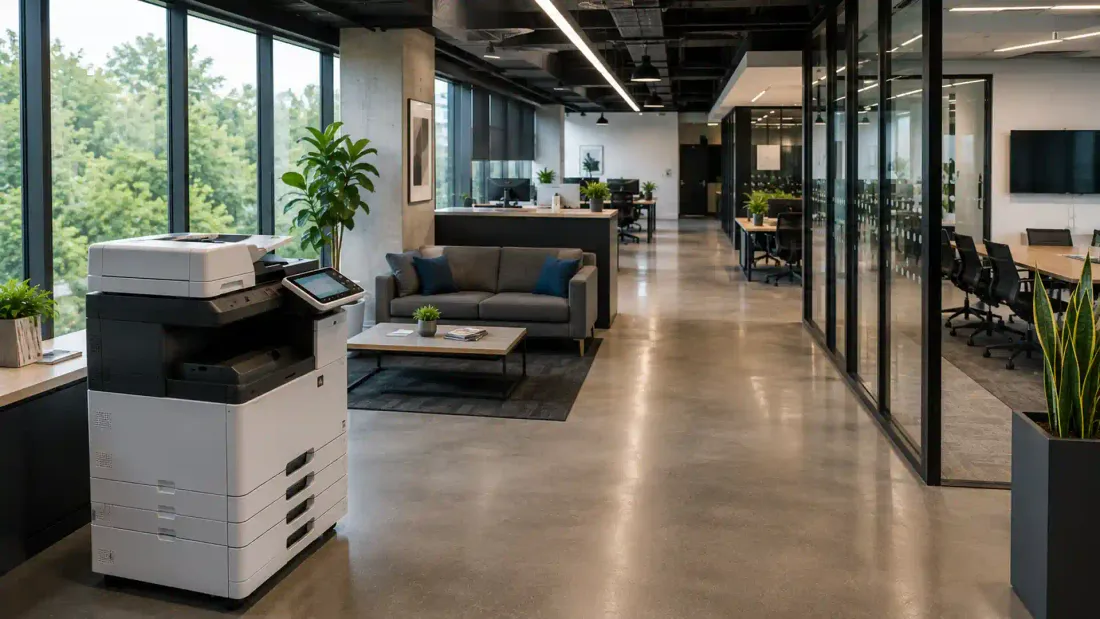
Settling the copier-versus-printer question with numbers
The industry keeps two vocabularies for one machine, and the practical differences reduce to three. Duty cycle: copier-class hardware is engineered for sustained duplication that would exhaust a desktop printer, with drum and fuser components rated in the hundreds of thousands of pages. Paper path: A3 capability, multiple trays and finishing live on the copier side of the family. And agreement shape: copier leases carry heavier included volume bands and correspondingly better per-page rates at scale.
The decision rule that serves Yorkshire offices well: under roughly three thousand mixed pages a month with no A3 or finishing needs, a strong A4 device from the printer leasing route wins on cost. Above that, or wherever A3, stapling or serious scanning enters the picture, the copier class earns its premium quickly, and per-page economics take over: at eight thousand pages monthly, a penny difference in click rate is £80 a month, dwarfing any device-cost saving. Describe volumes honestly and the quotes settle the question without a single showroom visit.
Sector patterns are consistent. Schools and colleges live in copier territory, term-time surges and worksheet duplication being the textbook case. Legal and accountancy practices sit there for bundle production and scanning. Small creative studios often do not, until client proofing pulls them up a class. There is no prestige in either answer, only arithmetic.
The words on your copier quote, decoded
PPM, pages per minute, is the speed class, quoted for single-sided A4; ask separately for the duplex figure, since double-sided should be your default and some engines halve their pace doing it. The click is the industry's word for one printed or copied page, and the click rate is the per-page charge that carries your toner and consumables: fractions of a penny mono, a few pence colour. The volume band is the monthly click allowance built into the price, with excess rates applying beyond it; the excess should sit near the in-band rate, not multiples of it.
Duty cycle is the monthly volume the engine is built to sustain, and machines living near their ceiling age badly; buy the class above your peak, not your average. The document feeder (ADF, or dual-scan for both sides in one pass) sets how fast batch scanning runs, which matters more than print speed in scan-heavy offices. Finishers are the bolt-on units that staple, punch, fold and make booklets, factory-fitted, so specified at quote time or effectively never. Follow-me or secure release holds jobs until a user authenticates at the device, and the service level is the response commitment in hours that turns a breakdown from a crisis into an interruption.
A quote that uses these words with numbers attached is one you can compare; a quote that avoids them is one you should. The comparison form asks for the plain-English version, what you print, how much, which features, and returns quotes where the jargon has already been pinned down in writing.
From copier quote to first copy: the realistic timeline
Day one: the form, thirty seconds. Inside a working day: up to four written quotes from vetted suppliers with genuine coverage of your postcode, itemised down to click rates and bands. Days two to four: your comparison, made in your own time; the quotes are written documents, not pressure calls, and the suppliers know they are one of four.
On acceptance: a standard business credit check, cleared in a day or two for established companies, and a site survey where the building warrants it, larger copiers care about lift access, door widths and where the paper lives. Days five to ten: delivery and installation: the machine arrives configured for your network, scanning wired to email and folders, user codes or badge release set up, finishing options fitted, and a short handover for the office. The outgoing machine leaves on the same visit, with leased predecessors returned to their funders properly and data destruction documented.
Thereafter: the agreement runs quietly, toner arriving on the machine's own signal, engineer visits inside the committed window, and one invoice where five used to be. The whole journey from enquiry to first copy typically lands inside two weeks, faster when stock and urgency align.
Copier engineers across every Yorkshire postcode
Every supplier on the panel is vetted for real engineer presence across the postcodes it claims, from Sheffield and Leeds city centres to the valley towns and coastal East Riding. Response windows of four to eight working hours are written into service agreements, parts and toner arrive as part of the deal, and installation includes network setup, scanning workflows and user training where teams need it.
City-level pricing and coverage detail lives on the local pages below. Estates running several machines across sites should also read managed print services, where the whole fleet bills per page on one agreement, usually the cheaper structure past three or four devices.
Photocopier leasing in your city
Photocopier leasing, asked and answered
How do copier leases work?
Is it cheaper to buy or lease a copier?
How do I get out of a copier lease?
How much does it cost to lease a photocopier?
Photocopier lease or photocopier rental: which do I need?
What size photocopier does my office actually need?
Is toner really included in a photocopier lease?
What speed of photocopier do I need?
Do leased copiers come with stapling and booklet finishing?
Who maintains a leased photocopier, and how fast?
Can schools and colleges lease photocopiers this way?
What happens to our old photocopier when the new one arrives?
Can I upgrade my photocopier before the lease ends?
Ready to compare quotes?
We compare. You save. Up to 60%, with no obligation.